

Home
Send/start, or tap 🏠 Home, for your account, your open positions and a board of every market with its price, 24-hour change and funding rate. The board keeps updating for five minutes; tap 🔄 Refresh after that.
Open a market
Tap a market on Home, tap 📊 Markets or send/trade for all of them. You can also just type its ticker, such as btc.
A market’s card has:
- a candlestick chart, in 15m, 1h, 4h or 1d;
- the price, and your position in that market if you have one;
- quick Long and Short amounts, and a leverage switch;
- ✏️ Custom, for any amount and leverage.
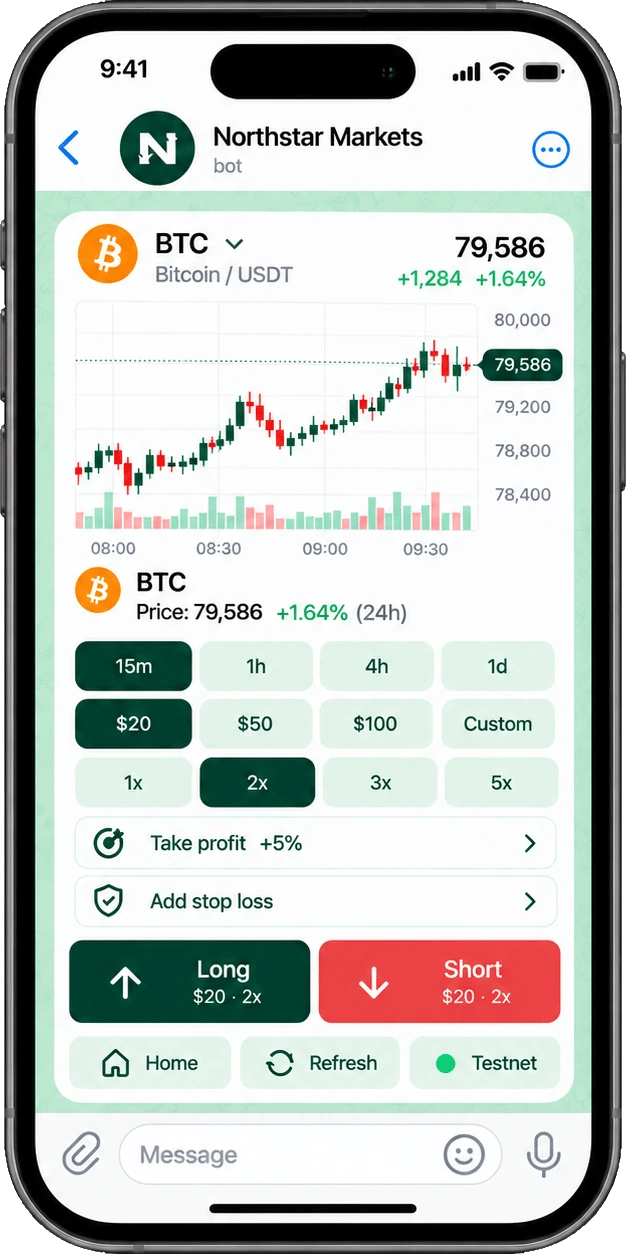
Example screen. Your community's bot shows its own name and may look slightly different.
Pick a size and leverage
Tap one of the quick amounts, or tap ✏️ Custom and type an amount, with leverage if you like:75 or 75 4x. With Custom, you can also add a stop loss and take profit that the bot places as soon as the order fills.
Amounts are position sizes. The margin you put up is the size divided by the leverage: a $100 position at 4x uses $25 of margin.
Your community sets which markets you can trade, the highest leverage and the largest order. The bot tells you if an order is outside them.
Review and confirm
Before anything is sent you see a review: the market and side, size, leverage, margin and the bot fee. Tap the ✅ button, which names the trade (for example ✅ Short BTC $20), to place it, or tap Cancel.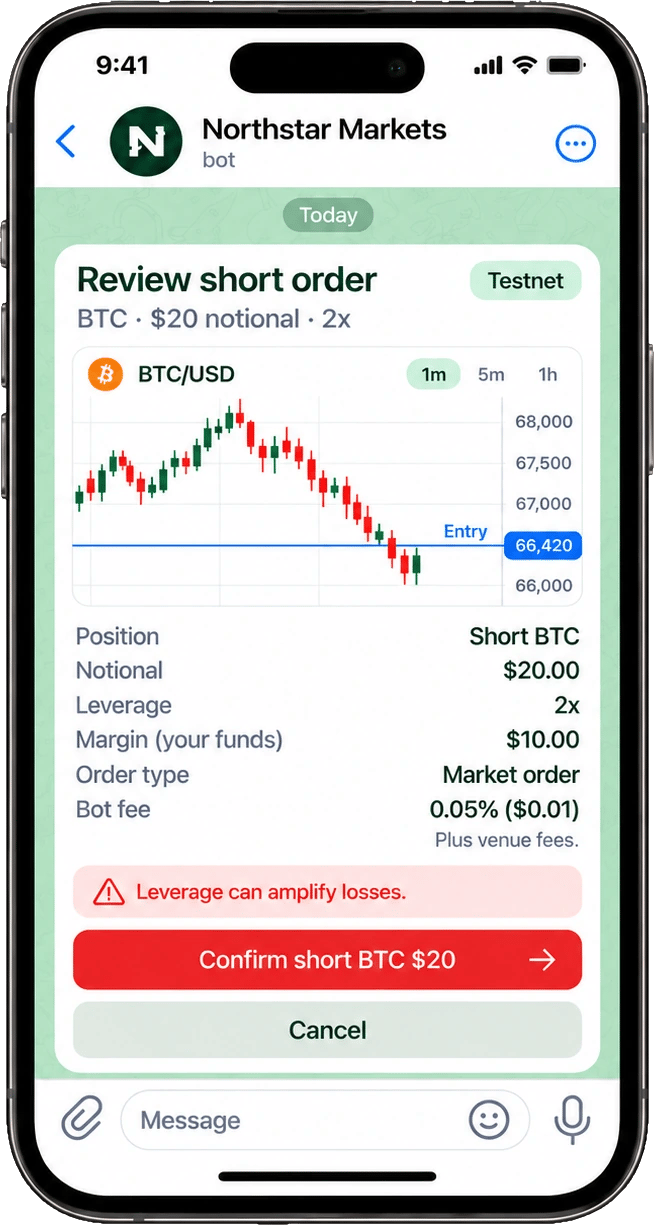
Example screen. Your community's bot shows its own name and may look slightly different.
Prefer no review step? Switch on one-tap trading in Settings. Each tap on Long or Short then trades straight away.
When Long or Short is switched off
The bot checks Hyperliquid’s order book before you trade. If nobody is selling (for a long) or buying (for a short), or the gap between buyers and sellers is wider than your community’s price limit, that button is switched off and the card says why. Try a smaller size, or try again later.Your positions
Positions show on Home and on each market’s card, with size, PnL, return and liquidation price. To close, open the position’s card and tap Close all or Close 50%, or typeclose btc or close btc 50%.
Telegram places market orders. For limit orders, use Lance Trade.
Risk warning. Trading perpetual futures with leverage is high risk. Prices can move fast and you can lose all the money you put in. Lance is software: it does not give investment advice, manage money or trade on anyone’s behalf. Trades are executed on Hyperliquid, a third-party exchange that is not affiliated with Lance. Lance is not available to persons in the United States, the United Kingdom and sanctioned countries. Nothing on this site is an offer or solicitation where it would be unlawful. Full risk disclosure